
Delete User Help
Welcome to our User Management System! Follow the steps below to delete a user:
-
Login: Choose the authentication method and access the application.
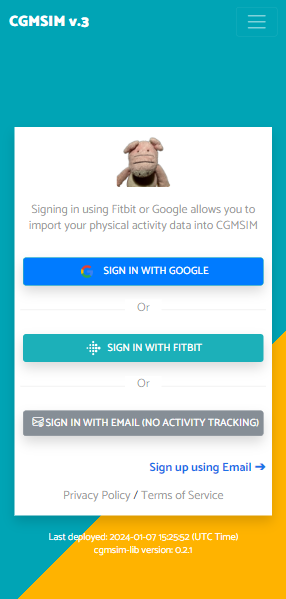
Login Screen - Open Menu: After successful login, you will be redirected to the main menu. Click the "Open Menu" button.
-
Delete User: In the menu, find and click the "Delete Account" button to initiate the user deletion process.
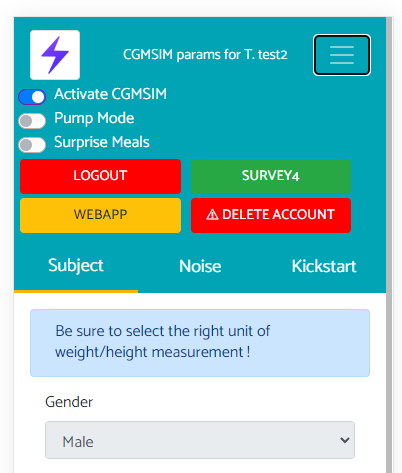
User Menu
Note: The appearance of the interface may vary depending on the system and version.
If you encounter any issues or need further assistance, please contact our support team at nicola@cgmsim.com.